
Overview
Boards (also called Spaces, formerly Workflows) are the central part of the platform. It is an interface capable of creating logic only with the use of nodes that perform a specific task, which through lines (edge connections) carry and manage the flow of the result of those nodes.
In summary, it is programming visually, with great ease, with blocks that already have implemented how to function and you only need to transport or redirect that information, even transform it as well as validate it.
1. Nodes:
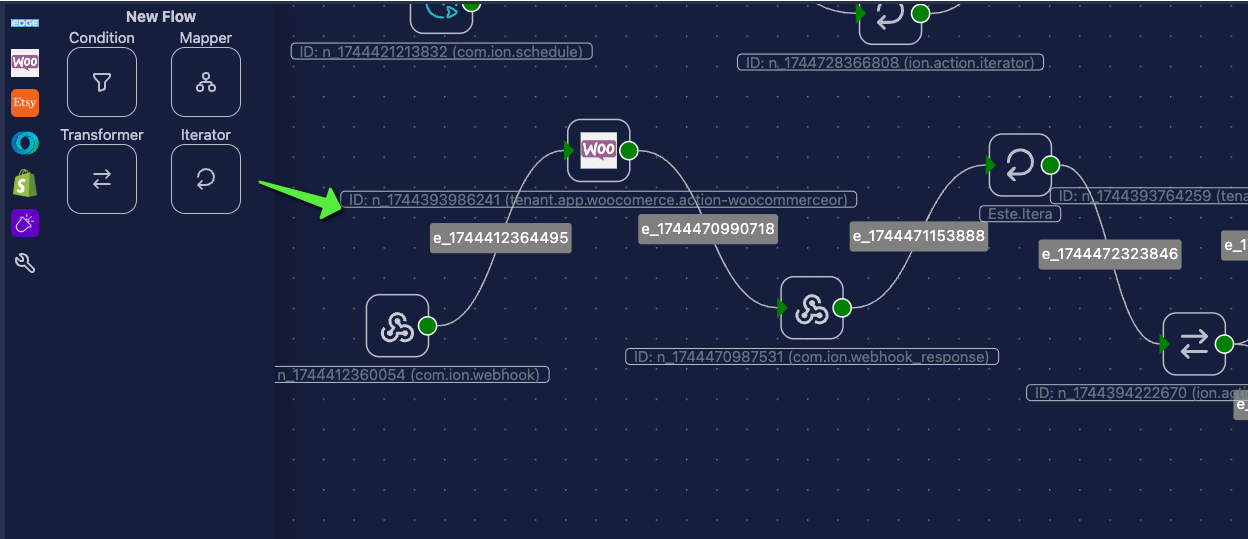
Section titled “1. Nodes:”Nodes are blocks that have a specific task, such as being a conditional (where you tell it that the information it receives meets certain conditions), also another node that sends information to a server, iterates a list and allows you to see the information individually.
2. Lines (Edge Connections):
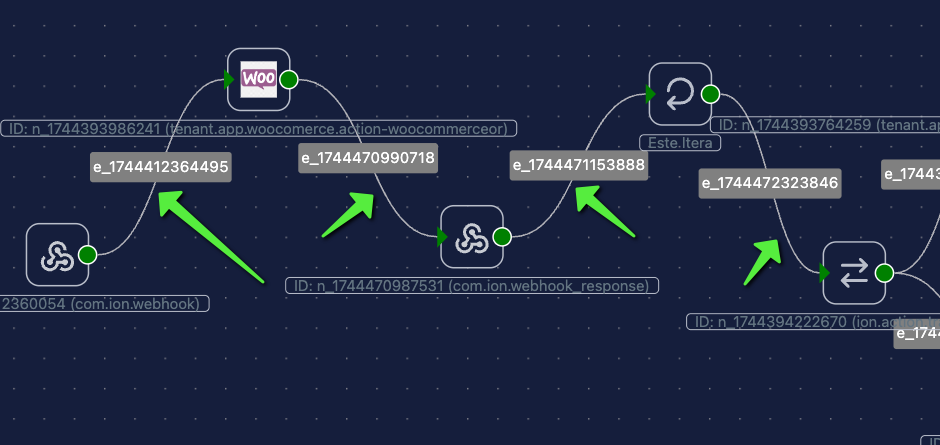
Section titled “2. Lines (Edge Connections):”Lines (formerly called “Edges” or “Connections”) are links that allow communication between nodes, as well as mark the flow of information and the ordered execution of nodes.
3. Contexts:
Section titled “3. Contexts:”Every time a node receives parameters, when opening its configurations it has the section in the sidebar where these need to be filled in, this normally in a form.
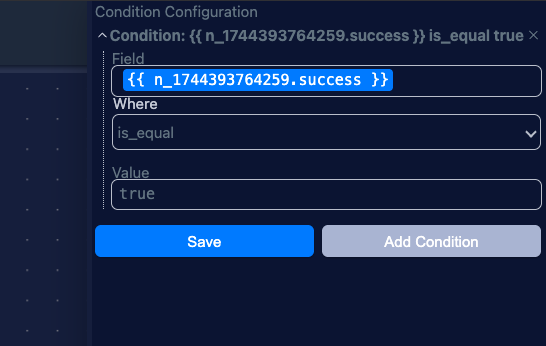
For example, in the previous screenshot, this form has as a reference to replace the “success” content of node “n_1744393764259”. This can be done by placing the cursor in the text boxes where you need to make reference and then a pop-up will open with information from previously executed nodes (open other nodes and reopen the node you need to configure in case it doesn’t load correctly).
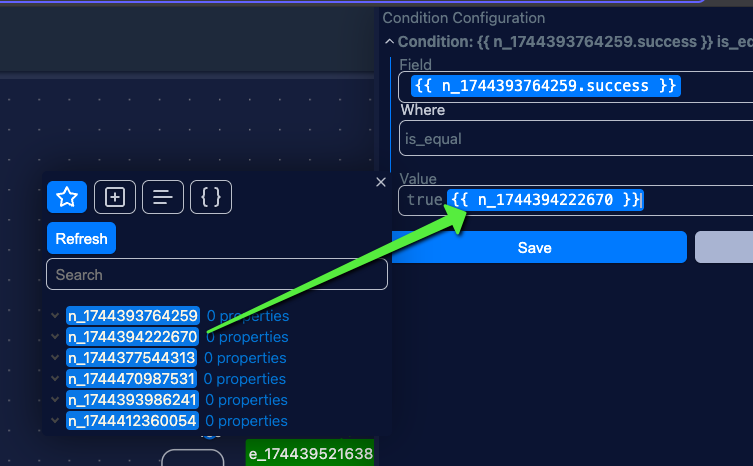
This is where you will see reference to nodes previous to the one you are modifying, and by just dragging with the mouse and taking it to the field and in the position you need, IONFLOW underneath will replace it cleanly (in case there is nothing in the reference it will leave empty the place where this reference was put).
4. Operations:
Section titled “4. Operations:”We support that the user within these references can perform operations, starting from mathematics, conditions themselves, even converting information to base64. For more information visit commands definition that you can use.